(try to imagine some mystery background music while reading the next lines. LOL) We've seen them everywhere scattered along the your files; One in each directory but what are they really? --- index.html.
Yeah, right. When I first started in Joomla then saw this index.html file I was like "what's the use of this one?" Even the novice tutorials on Joomla Docs included this file. I tried removing it and nothing happened so I don't include it anymore when I create an extension. Later on, while browsing the files on the browser I discovered the purpose of that tiny file index.html. So to all programmers, we know that index.html is the default file the browser loads if none of the other files was indicated. So the purpose of index.html is for security.
Security? Yeah, you heard me (or read it) right! This tiny (or zero file size) file does something for your files security. Okay, here's an example, I have a directory named "mytest" that contains two files namely file1.txt and file2.txt. If I locate the "mytest" directory on the browser it will show the files on that directory. Now, I'll add the index.html (empty file) on the "mytest" directory then located it once again on the browser. Can you guess what will display on the browser? If you're thinking that a white blank page will display then you're absolutely correct! You see, the browser searches for the index.html first when nothing on the files in the current directory was indicated. Getch?
Blogger's note: I think post is the most confusing one I created. I guess the current time in my place right now is also the factor on that. It's actually 4:28 AM here so still kind of sleepy. Anyways, any question, clarification, or correction are welcome just post it below on the comments section.
=D
Showing posts with label joomla. Show all posts
Showing posts with label joomla. Show all posts
Friday, May 25, 2012

Tuesday, May 22, 2012
[Joomla 2.5] Create New Article Frontend
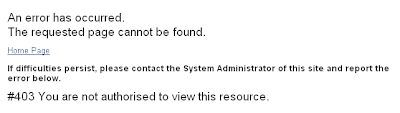
I have three Joomla 2.5 sites. One on my local and two on a free hosting site. On one of the two sites (on free hosting site), I create a menu item that allows frontend registered users to create an article but was given this error:
Wednesday, May 9, 2012
[Joomla] Can't Edit, It's Locked!
Have you seen this lock image  from your Joomla backend?
This means that a certain entry is being use by someone or was used by someone and haven't been properly close the entry. You know, that red Close button at the top right of your screen?
from your Joomla backend?This means that a certain entry is being use by someone or was used by someone and haven't been properly close the entry. You know, that red Close button at the top right of your screen?
Wednesday, May 2, 2012
Install then Uninstall then Install then Uninstall...What are you doing?!
Most of those new to Joomla does this: install the component(or module, plugin or template) then you found some error so you'll uninstall it again (to convince yourself that the changes are really taking effect even though you can just edit it) then install again the updated copy. Found another error, uninstall again, then install again.
Isn't that such a hassle? In order for you to not do that install-uninstall-install thing then all you need to do is add this code in your xml installer file:
Isn't that such a hassle? In order for you to not do that install-uninstall-install thing then all you need to do is add this code in your xml installer file:
Tuesday, April 10, 2012
[Joomla]Execute Modules with Parameters
In other post Execute Modules Manually, I showed how to load modules but without setting its parameters which is somewhat a downside because what if you want to set some parameters.
Wednesday, April 4, 2012
[Joomla] How to get the new ID when using JTable
If you're using the JFactory::getDBO when inserting a new row in the database, you can easily access the ID of the newly inserted row via insertid() function but in most cases (specially from the backend) we use JTable to insert the rows. The question is: how to get the new id when using the JTable class? Here's how:
First, we instantiate the JTable we're going to use
Next, we'll get the new ID
First, we instantiate the JTable we're going to use
$mytable = $this->getTable('some_table');
...
$myTable->store();
Next, we'll get the new ID
$db = $mytable->getDBO();
$newID = $db->insertId();
Monday, April 2, 2012
[Joomla] Change Browser Header Text
Ever wonder how to change the browser header text? Most of the time, the header text displays the name or title of the menu item or the component so you only have a limited power to change the text.
You're wrong!
You can change manually the browser header text through this codes:
Although you can do it using the traditional way:
But pfft that's an old style.
You're wrong!
You can change manually the browser header text through this codes:
$document =& JFactory::getDocument();
$document->setTitle('My Header Text Title');
Although you can do it using the traditional way:
<head>
  <title>My Header Text Title</title>
</head>
But pfft that's an old style.
Wednesday, March 14, 2012
Detect Browser Info
When it comes to detecting browser info in PHP, we stick to the basic by using get_browser() but it doesn't properly display the browser types/names. If you're using Joomla, you'll most likely use the Joomla browser detection library.
[Joomla] Include Helper Class
Helpers, in my own understanding, are some of the Joomla files that are usually use when they can't be classified either as a mode, view, or controller. So when we intend to use them, we need to include them. There are many way on how to include helpers like using include, include_once, require, or require_once but because we are using Joomla it would be cool to use the Joomla way. And just like in including the helper file in PHP, there are also many ways to do it but I will only show one of the many ways because this is what I usually use.
Saturday, February 11, 2012
[Joomla] Hello World Component ver 5
For this version, I'll add the template in our View
First, create the xml file and name it jchelloworld.xml
First, create the xml file and name it jchelloworld.xml
<?xml version="1.0" encoding="utf-8"?>
<install type="component" version="1.5" method="upgrade">
  <name>JC Hello World</name>
  <creationDate>February 2012</creationDate>
  <author>Joef Clarin</author>
  <version>3.0.0</version>
  <description>JC Hello World</description>

  <files>
    <filename>jchelloworld.php</filename>
    <filename>controller.php</filename>
    <folder>views</folder>
    <folder>models</folder>
  </files>

  <administration/>
</install>
[Joomla] Hello World Component ver 4
For this version, I'll add the template in our View
First, create the xml file and name it jchelloworld.xml
First, create the xml file and name it jchelloworld.xml
<?xml version="1.0" encoding="utf-8"?>
<install type="component" version="1.5" method="upgrade">
  <name>JC Hello World</name>
  <creationDate>February 2012</creationDate>
  <author>Joef Clarin</author>
  <version>3.0.0</version>
  <description>JC Hello World</description>

  <files>
    <filename>jchelloworld.php</filename>
    <filename>controller.php</filename>
    <folder>views</folder>
  </files>

  <administration/>
</install>
[Joomla] Hello World Component ver 3
For this version, I'll add the "V" in MVC
First, create the xml file and name it jchelloworld.xml
First, create the xml file and name it jchelloworld.xml
<?xml version="1.0" encoding="utf-8"?>
<install type="component" version="1.5" method="upgrade">
  <name>JC Hello World</name>
  <creationDate>February 2012</creationDate>
  <author>Joef Clarin</author>
  <version>3.0.0</version>
  <description>JC Hello World</description>

  <files>
    <filename>jchelloworld.php</filename>
    <filename>controller.php</filename>
    <folder>views</folder>
  </files>

  <administration/>
</install>
[Joomla] Hello World Component ver 2
For this version, we will be using the "C" in MVC.
First, create the xml file and name it jchelloworld.xml
First, create the xml file and name it jchelloworld.xml
<?xml version="1.0" encoding="utf-8"?>
<install type="component" version="1.5" method="upgrade">
  <name>JC Hello World</name>
  <creationDate>February 2012</creationDate>
  <author>Joef Clarin</author>
  <version>2.0.0</version>
  <description>JC Hello World</description>

  <files>
    <filename>jchelloworld.php</filename>
    <filename>controller.php</filename>
  </files>

  <administration/>
</install>
[Joomla] Hello World Component ver 1
Whenever a developer want to learn a new language or framework, it always starts on creating on what we call "Hello World" application or program. So in this post (and on the next ones), I'll teach you on how to create a "Hello World" in Joomla component. This will also let you have an overview of how the MVC structure works in Joomla.
I won't explain every code in this post because this post will be about the codes. Maybe in other post, I will.
I won't explain every code in this post because this post will be about the codes. Maybe in other post, I will.
[Joomla 1.5 Extension] JC Daily Message 1.0.0
A simple module that displays a daily message set on module's parameter
You can use the module as a reminder, daily bible verses, or some other stuff.
Download module.
You can use the module as a reminder, daily bible verses, or some other stuff.
Download module.
[Joomla 1.5 Extension] JC Random Facts 1.0.0
I created a simple Joomla component and module. If you're new to Joomla, then you'd find the said extensions easy to read and study the codes.
JCRandomFacts component let's you add, edit and remove a fact.
JCRandomFacts module displays one fact save from the component.
Download component and module.
JCRandomFacts component let's you add, edit and remove a fact.
JCRandomFacts module displays one fact save from the component.
Download component and module.
Tuesday, January 31, 2012
[Joomla] Be a Super Administrator!
Sometimes we are curious of what goes at the back. And being "only" a registered user can't seem to get rid of that curiosity. So here's a way on how to change your ACL status.
Assuming you have database access. If you don't have any I'm afraid you can't proceed to the next steps.
First, let's create a test user.

Save your new user and make sure you remember the important details (refer to image above)
Now, let's go to the database. Open jos_users and look for the test user that you just created.

Change the gid into 25 and usertype into Super Administrator.
Assuming you have database access. If you don't have any I'm afraid you can't proceed to the next steps.
First, let's create a test user.
Save your new user and make sure you remember the important details (refer to image above)
Now, let's go to the database. Open jos_users and look for the test user that you just created.
Change the gid into 25 and usertype into Super Administrator.
[Joomla] Execute Modules Manually
Modules are easy to execute given that it can be place anywhere as long you assign it to a specific position but what if you want to display a module within a component?
Here's the code on how to load a single module:
The downside with this is it won't apply its parameters. I think there's a way on how to do this but I haven't figure it out yet.
Here's the code on how to load a single module:
jimport('joomla.application.module.helper');
$module = JModuleHelper::getModule('mod_module','modtitle');
echo JModuleHelper::renderModule($module);
The downside with this is it won't apply its parameters. I think there's a way on how to do this but I haven't figure it out yet.
Wednesday, January 25, 2012
[Joomla] Copy Backend Pagination Style to Frontend
Using Pagination in frontend have a different look compared from the backend


If you compare the two, of course the backend pagination style is much better. So I will discuss on how to override the frontend pagination so that it will be the same with the backend.
First, look for/administrator/templates/khepri/html/pagination.php and copy the contents of pagination_list_footer($list) and pagination_list_render($list) functions.
Second, look for/templates//html/pagination.php and remove the contents of pagination_list_footer($list) and pagination_list_render($list) functions then paste those codes you copied from the first step.
Third, copy the/administrator/templates/khepri/css /general.css file to your /templates//css/. Of course you could manually copy the css scripts you only needed for the pagination but you may miss to copy some to it’s better to just copy the whole css file.
Fourth, go to/administrator/templates/khepri/images/ and copy all images that its filename starts with j_button2. Then paste them to /templates//images/
There you have it! Backend pagination style now on your frontend. enjoy learning. =D
Frontend
Backend
If you compare the two, of course the backend pagination style is much better. So I will discuss on how to override the frontend pagination so that it will be the same with the backend.
First, look for
Second, look for
Third, copy the
Fourth, go to
There you have it! Backend pagination style now on your frontend. enjoy learning. =D
Copyright: I don't own the images used in this post
Tuesday, January 24, 2012
[Joomla] JLIB_APPLICATION_ERROR_VIEW_NOT_FOUND
I always hate tracing an error. How, where, when did the error occur? Arrg, I hate that. I'd rather start from scratch than trace an error.
Anyways, enough of my rambling. I encountered this error while creating a component:
Possible problem with this type of error is incorrect link to view or misspelled view name. Or the worst, you forgot to create the view (hahaha...)
Anyways, enough of my rambling. I encountered this error while creating a component:
500 - JLIB_APPLICATION_ERROR_VIEW_NOT_FOUND
Possible problem with this type of error is incorrect link to view or misspelled view name. Or the worst, you forgot to create the view (hahaha...)
Subscribe to:
Posts (Atom)
