Saturday, February 14, 2015

[PHP] Jack n' Poy

Problem: Create a Jack n' Poy game.

Input:
scissor-paper
paper-rock
scissor-rock
paper-paper
rock-rock

Output:
player one wins
player one wins
player two wins
draw
draw

[PHP] Triangle Asterisk

Problem: Let the user enter a number then use that number to determine the size of the triangle.

Input:
5

Output:
    *
   ***
  *****
 *******
*********

Monday, March 25, 2013

[C#] Split That Newline

Sample text string:

1=2
3=4
5=6

I got a text box that receives multi-liner string. I want to get the data each line so I need to split it. I got some cases regarding this.

[C#] Split the Split!

I've been doing some C# stuff when I came across some quite but not so complicated matter: splitting a just split string. In other words, I want to split a string into an array then split again elements on it giving me a 2-dimensional array.

So here's the solution I found:

String input = "1=2;3=4;5=6";

String myArray1[] = input.Split(';');
String myArray2[][] = input.Split(';').Select(s => s.Split('=')).ToArray();

myArray1 will give {1=2, 3=4, 5=6} which is a 1-dimension array while myArray2 will give {1,2},{3,4},{5,6} which is a 2-dimension array.

Wednesday, March 20, 2013

Resume Making!

Every time i read an article or watch on tv about resumes, managers always give tips on how to make your resume standout like "make your resume unique" or "make it attractive." But what does it take to make your resume standout or how to create a resume that is unique and attractive?


First, what is the importance of resume? Why is it necessary to pass your resume to a company? Basically, because to get an INTERVIEW or you want a CALL BACK. If you got the attention of the HR or Human Resource manager through your resume, then they'll call you for an interview which is the first step for getting employed.


Next, how do you get an interview? There are certain things you need to do or have with your resume like understand/know the position you're applying for, understand/know the company, understand the reader, include the standard information, come up with results, and quantify your results.

[C#] New Line

There are two common ways adding a newline in C#: "\r\n" and "\n". But when we tend to split them, some may be using "\r\n" or just the "\n" so I found this useful variable so that it won't be too confusing and for sure it will be safer.

System.Environment.Newline (or simply type "Environment.Newline" if you already added "using System;" on top)


Tuesday, September 11, 2012

Programming Is Hard To Understand

I just read this in one of the threads I'm part of.

To be honest, programming is hard but only at the beginning phase. Just like every other things you do the same with riding a bicycle. You'll find it hard to maintain your balance that sometimes you'll end up scraping your knees but once you get the hang of it, you'll totally enjoy it forgetting all the wounds and frustrations throughout the process.

So what do I need to "easily" understand programming?

The answer is simple: learn to LOVE IT.

Haven't you notice if you love to do something no matter how hard or difficult it is you still enjoy doing it without ANY complaints. I always notice this behavior with my other colleagues. Our work is mainly to do programs but only a few are actually enjoying it. Most of them are just treating it as their source of income or just because they are good at it. Remember, not all people who are good at something actually love what they're doing. Maybe they'll just some genius who are born with those talents but their hearts aren't just for it. These kind of people almost always end up not enjoying their life and once they realize this it's already too late.

Wednesday, July 4, 2012

Multiple Instances for Skype 4 on Ubuntu

Skype has a new version for ubuntu! Hooray! The Skype 4 has arrived! But the problem is the multiple instances was gone. So I look for a solution for this, and I found this:

1. Install skype (if you haven't yet)

2. We'll create new copies of the installed skype. Open the terminal and run the following commands:
cp -r ~/.Skype ~/.Skype.first
cp -r ~/.Skype ~/.Skype.second

Friday, June 15, 2012

[jQuery] Know If An Element Exist

Basic syntax:
$('element').length == 0

Example:
if($('div#mydiv').length == 0)
{
    $('body').append('
        <div id="mydiv">hello world!</div>
    ');
}
else
{
    $('div#mydiv').html('hello universe!');
}

Saturday, June 9, 2012

[Ubuntu] Virtualbox Fullscreen on Ubuntu 10.10 Won't Work

I use Virtualbox to have the Ubuntu 10.10 (64-bit) version in my unit but the Fullscreen function doesn't work properly. If I go to View > Switch to Fullscreen, then the virtualbox window will have a fullscreen but not the ubuntu itself.

So I've research on how to do it and here's what works for me:

sudo apt-get update
sudo apt-get install build-essential linux-headers-$(uname -r)
sudo apt-get install virtualbox-ose-guest-x11 

Apparently, we need to solve first the Guess Additions Issue on Ubuntu 10.10 for the Fullscreen to take effect.

Enjoy! =D

Thursday, June 7, 2012

[Ubuntu] Resize Wubi Disk

If you're wondering what is wubi then let me explain it a bit. Wubi let's you install ubuntu OS via Windows. Although installing ubuntu in a traditional boot-to-CD way still it's more complicated to other non-techie people.

Installing ubuntu using wubi limits your ubuntu drive into 30GB storage disk, not so bad if you're not really using as your primary OS. I, as a web developer and using ubuntu as my primary OS due to my current work, needed to have a larger storage disk but I don't want to backup my file and install ubuntu over again (traditional way). It's a hassle to backup files specially if I need the larger storage right away. So I've done some research and read a lot of articles if it is possible to just resize and extend the storage disk which was installed via wubi. And, yes, I found the solution that works for me.

First, download the wubi-resize_1.5b.sh. Save it on Downloads folder.

Friday, May 25, 2012

[Joomla] The Curious Case of Index.html

(try to imagine some mystery background music while reading the next lines. LOL) We've seen them everywhere scattered along the your files; One in each directory but what are they really? --- index.html.

Yeah, right. When I first started in Joomla then saw this index.html file I was like "what's the use of this one?" Even the novice tutorials on Joomla Docs included this file. I tried removing it and nothing happened so I don't include it anymore when I create an extension. Later on, while browsing the files on the browser I discovered the purpose of that tiny file index.html. So to all programmers, we know that index.html is the default file the browser loads if none of the other files was indicated. So the purpose of index.html is for security.

Security? Yeah, you heard me (or read it) right! This tiny (or zero file size) file does something for your files security. Okay, here's an example, I have a directory named "mytest" that contains two files namely file1.txt and file2.txt. If I locate the "mytest" directory on the browser it will show the files on that directory. Now, I'll add the index.html (empty file) on the "mytest" directory then located it once again on the browser. Can you guess what will display on the browser? If you're thinking that a white blank page will display then you're absolutely correct! You see, the browser searches for the index.html first when nothing on the files in the current directory was indicated. Getch?

Blogger's note: I think post is the most confusing one I created. I guess the current time in my place right now is also the factor on that. It's actually 4:28 AM here so still kind of sleepy. Anyways, any question, clarification, or correction are welcome just post it below on the comments section.

=D

Wednesday, May 23, 2012

[Ubuntu] Install PIL in Virtualenv

I look everywhere on how to install PIL without a hitch. After a few reading, searching, frustrations, installing and uninstalling, I finally found the one that works for me (and for you might as well).

Follow the steps on how to install PIL:
1 install the needed libraries
sudo apt-get install libjpeg-dev libpng-dev zlib1g-dev liblcms1-dev python-dev

2 install the dependencies needed to build PIL
sudo apt-get build-dep python-imaging

3 run these commands
sudo ln -s /usr/lib/i386-linux-gnu/libfreetype.so /usr/lib/
sudo ln -s /usr/lib/i386-linux-gnu/libz.so /usr/lib/
sudo ln -s /usr/lib/i386-linux-gnu/libjpeg.so /usr/lib/

4 Lastly, install PIL
pip install PIL

You should at least see this somewhere
    --- JPEG support available
    --- ZLIB (PNG/ZIP) support available
    --- FREETYPE2 support available
Tuesday, May 22, 2012

[Joomla 2.5] Create New Article Frontend

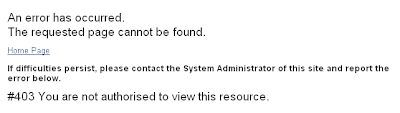
I have three Joomla 2.5 sites. One on my local and two on a free hosting site. On one of the two sites (on free hosting site), I create a menu item that allows frontend registered users to create an article but was given this error:


The One Who Holds My Heart by Luther Vandross

I'd Rather had bad times with you, then goodtimes with someone else.
I'd rather beside you in a storm, then safe and warm by myself,
I'd rather have hard times together, than to have it easy apart.
I'd rather have the one who holds my heart, who holds my heart.

And then I met someone and thought that she could replace you.
We got along just fine, but wasted time because she was not you.
We had alot of fun, though we knew we were faking
love was not impressed with our connection built on lies, on lies.

So Im here cause i found this one thing is true, that im nothing without you,
I know better now and I've had a change of heart.

This is the last song I heard before I go to sleep. Somehow this song has a different meaning nowadays. LOL!

Thursday, May 10, 2012

[ubuntu] Virtualenv

Install
sudo apt-get install virtualenv
OR
easy_install virtualenv

Create environment
virtualenv <folder name>

Create clean environment
virtual --no-site-packages <folder name>

Activate environment
source <folder name>/bin/activate

Deactivate environment
deactivate

Note: you can create your environment in any directory as long as you activate it using the right directory path

Wednesday, May 9, 2012

[Joomla] Can't Edit, It's Locked!

Have you seen this lock image from your Joomla backend?

This means that a certain entry is being use by someone or was used by someone and haven't been properly close the entry. You know, that red Close button at the top right of your screen?

Monday, May 7, 2012

Hard Work VS. Talent

"Hard work beat the talent if the talent doesn't work hard"

That every line above was what my trainee told me when I told him I'm not that skillful, just the product of hard work. And I was like nodding slowly and told myself "yeah, it does makes sense".

When I was still in college I use to (silently) compete with my classmates. I know I'm not the cream of the crop so I always work hard and though my output may not be as good as theirs still they are threaten by it.

Saturday, May 5, 2012

[Django] Add CSS files

I can't find any tutorial that specifically tells what how to add CSS files on Django project so after a long adventure and a lot of readings and trial and errors here how I did it:

1. open your settings.py and locate the MEDIA_ROOT and MEDIA_URL
MEDIA_ROOT = os.path.join(PROJECT_ROOT, 'media')
MEDIA_URL = '/media/'

If you're wondering what is os.path.join and PROJECT_ROOT then I'll explain it.

On top of the file (settings.py) add the following code:
import os
PROJECT_ROOT = os.path.abspath(os.path.dirname(__file__))

so based on the codes above, os.path.join and PROJECT_ROOT gets the current path where your project was located in your drive/server/etc.

The "media" is simple the folder where your css files will be saved.

moving on...
Related Posts Plugin for WordPress, Blogger...